Home /Road Survey Help Portal
Road SurveyHelp Portal
What is the role of this new road survey portal?
The road survey portal is an extension of the main estimation portal. The only purpose of the portal is to capture road alignment data. This is not a replacement of the road location mapping feature of the Estimation portal; it complements the road location mapping feature by addressing some of the challenges reported by users during alignment mapping.
Advantages
- Lightweight and more user friendly
- Can be installed like an App and run from the shortcut created during installation
- Capable of working offline, provided the user has previously authenticated with the main Estimation portal
- No reference of project master required during field survey, so field survey data can be captured freely and later to be linked with project reference in Estimation Portal
- Captures points based on distance rather than time to improve better alignment of the road – irrespective of the speed at which the device is moving, the points captured will be uniformly aligned to provide a clearer alignment image. Also if the device is not moving point capturing will also pause.
- Has a feature to keep the screen on (depends on the handset used) when auto capture is on. This feature requires the portal to be active on the device, this will not work if the portal window is minimized or any other App is active.
- Roads with multiple segments can be captured separately and then combined into a single road alignment data from the Estimation Portal
- Has a troubleshooting section which allows users to investigate GPS and Camera issues and probable resolution of the same
Things to remember:
- Survey data captured by the portal is initially stored using browser memory. If the browser cache or data is cleared, then the captured data will also be lost
- Sync data with the main estimation portal as soon as possible
- Do not store too many survey data in the device and it may slow down the device and also chances of data loss will be higher
- The auto capture mode works better when the input device is in motion. When the device is staionary the GPS may produce wrong co-ordiantes.
- Capture the start and end points using manual capture mode
- Switch to autocapture while moving along the road
- Turn off autocapture when the device is not moving
- Auto capture works only when the portal is active, auto capture will not work if
- The portal is minizied or
- The portal is sent behind any other app
How to Use this Portal
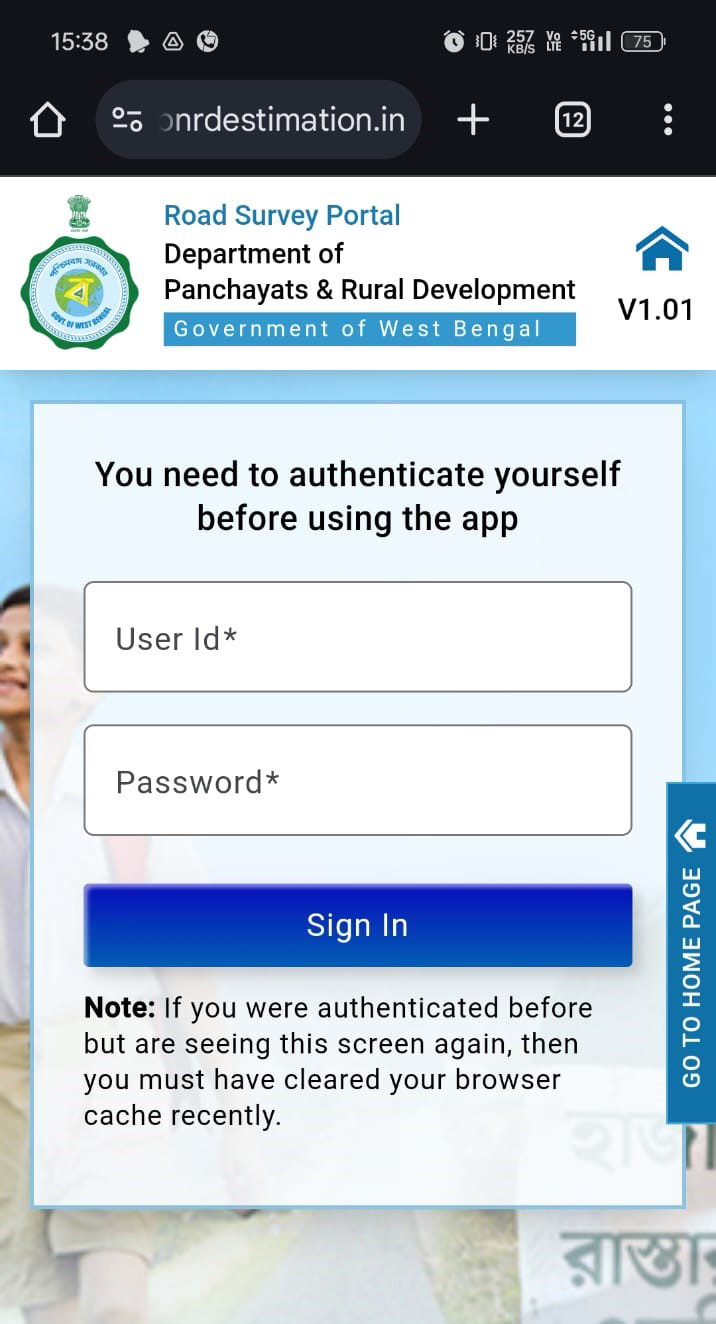
1. How to Authenticate

Step 2 – Using your User ID and Password, you are directed to a landing page.
2. How to Install
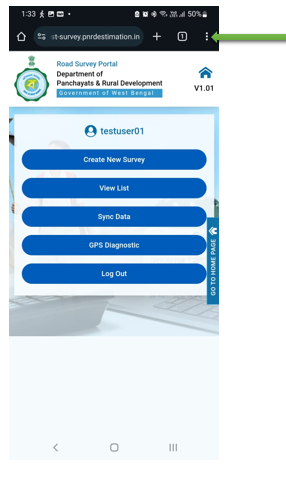
Step 1 – Click on the 3 dot right upper corner.
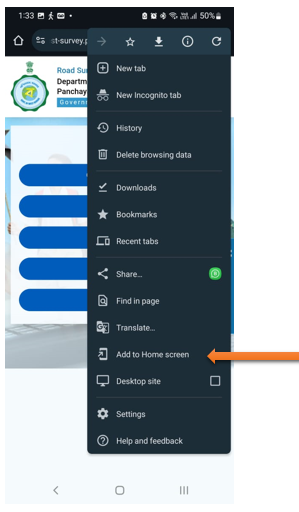
Step 2 – Click on “Add to Home screen”
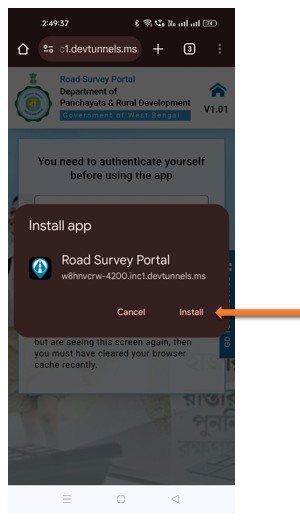
Step 3 – Click on “Install”
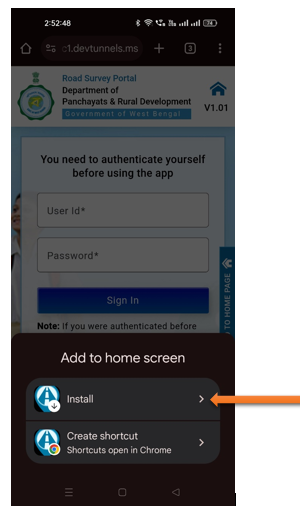
Step 4 – Click “Install”
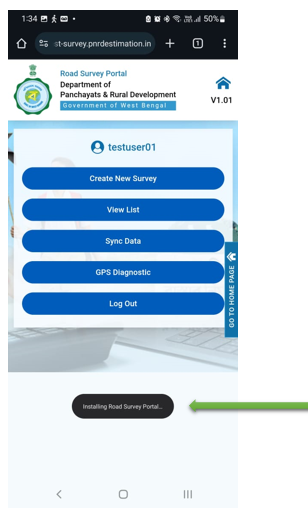
Step 5 – Installing Road Survey Portal.
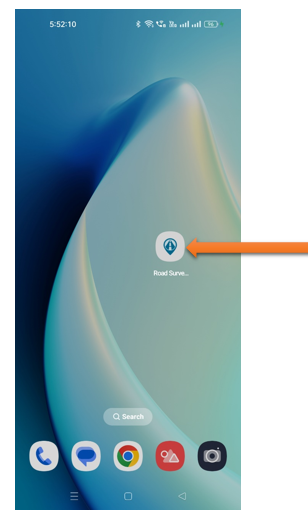
Step 6 – Installation done on mobile.
3. How to Survey
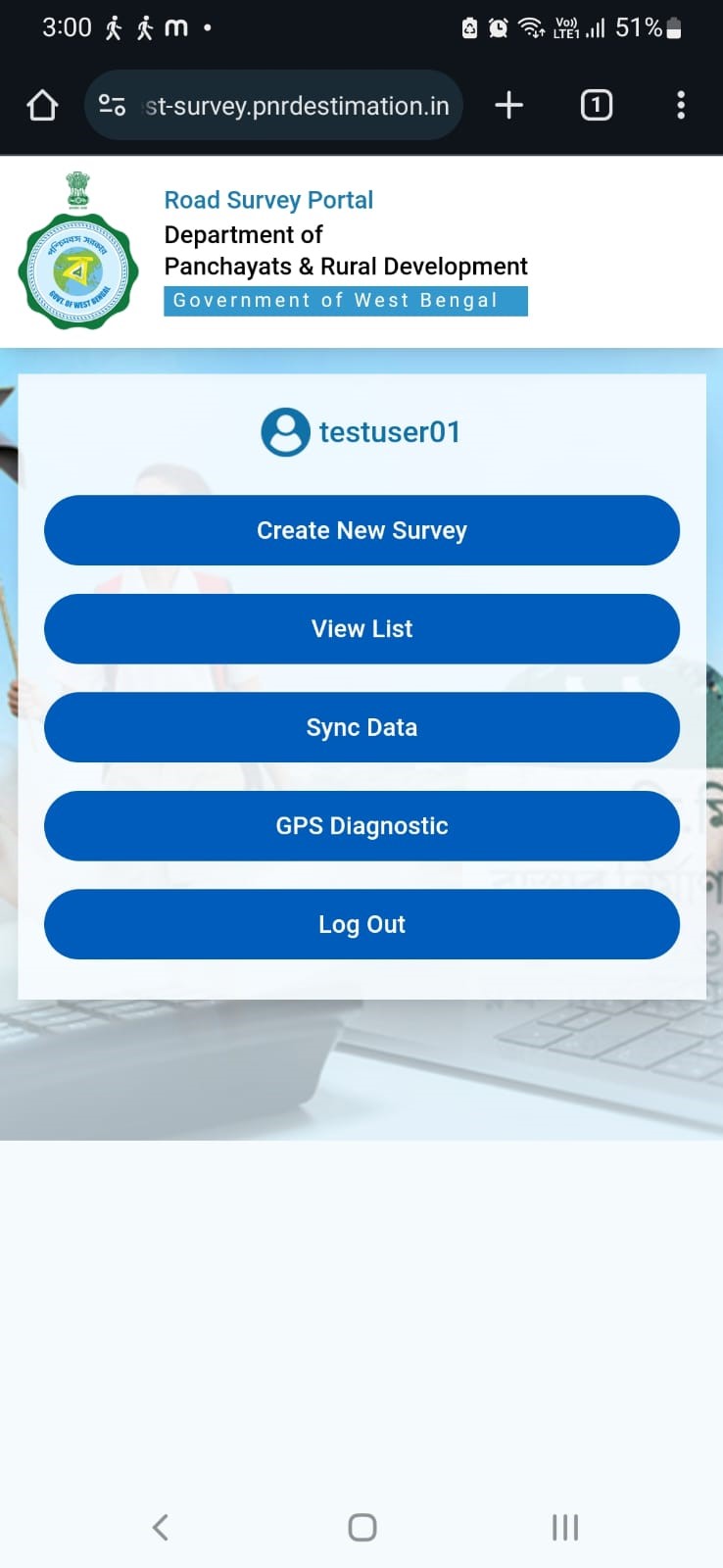
After authentication and installation, this gateway page appears to start the survey. Each button serves a different function.
Step 1
- Create New Survey: Initiate a new survey from this option.
- View List: Access and view a list of previous surveys
- Sync Data: Synchronize survey data with the server from this option.
- GRS Diagnostic: Capture latitude and longitude points for precise location tracking.
- Log Out: Exit the portal securely.
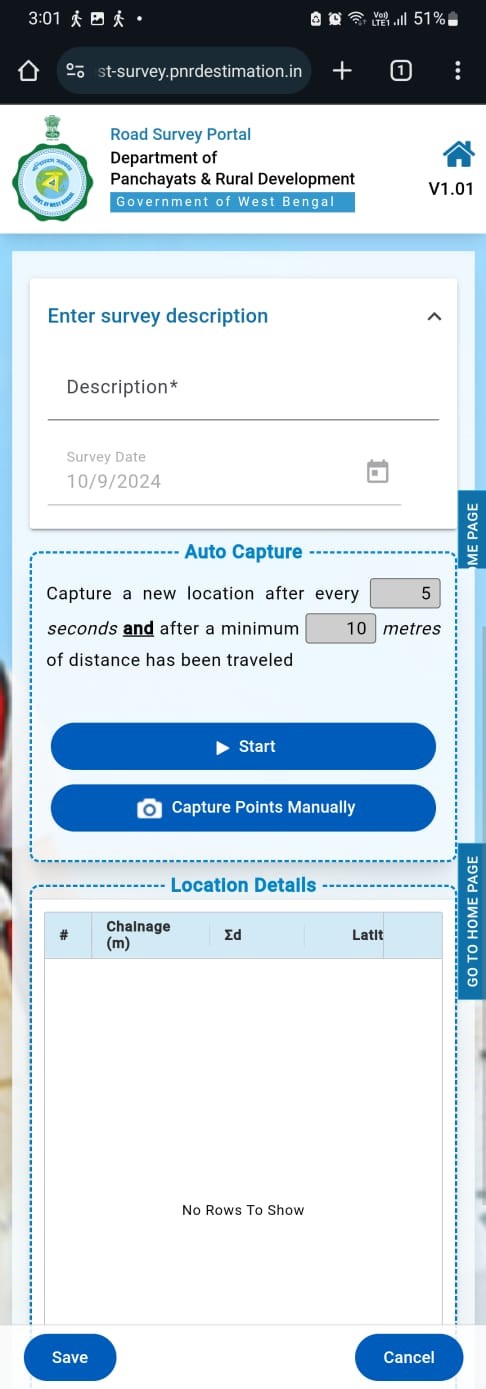
Step 2
- Fill in the project name in the “Description” field.
- The Survey Date field is automatically filled with the current date
- On this page, users can set the auto-capture interval for seconds and meters.
- The default settings are 5 seconds and 10 meters. Both are editable.
- Every defined seconds or meters both are fulfilled, the system automatically captures the latitude and longitude coordinates in the portal.
- Press the "Start" button to begin capturing points.
- An internet connection is not mandatory, as the points will be recorded offline.
Step 3
- Point capturing continues smoothly whether there is an internet connection or not, so the survey can keep going offline while the system records latitude and longitude coordinates.
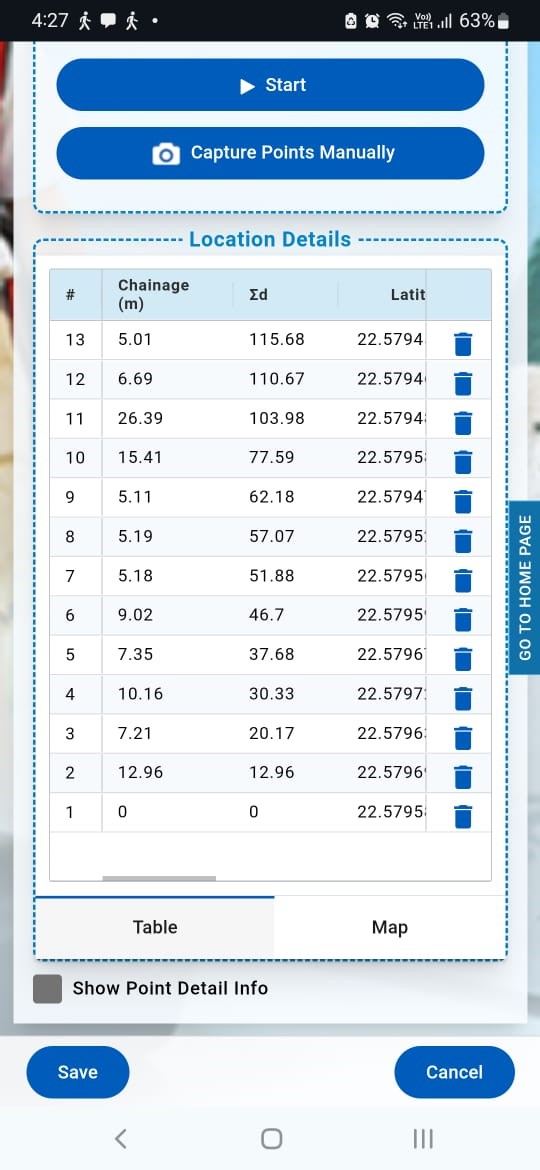
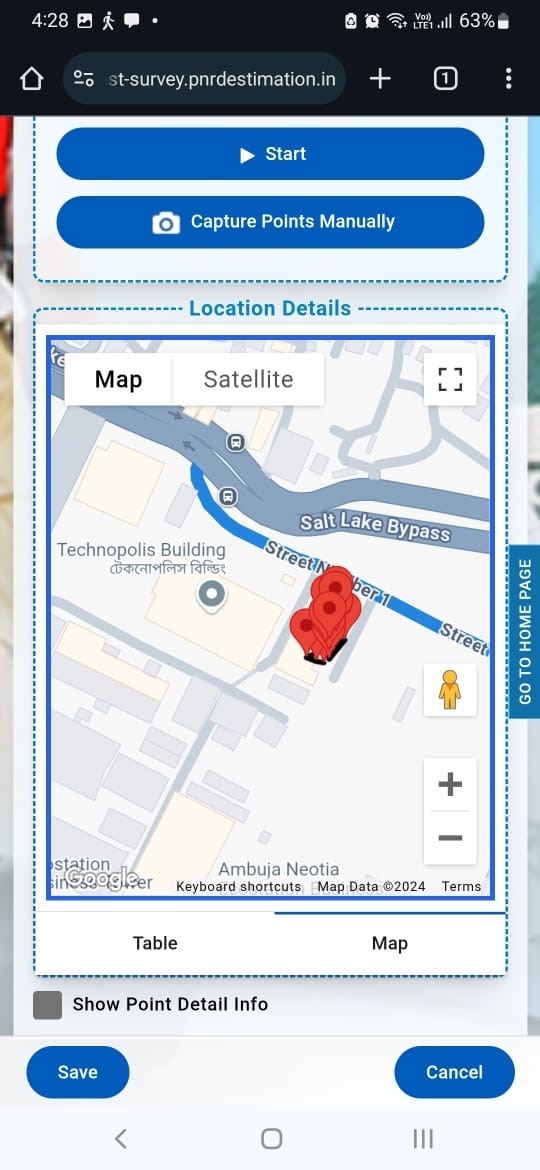
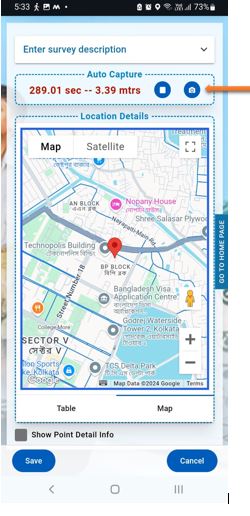
Step 4
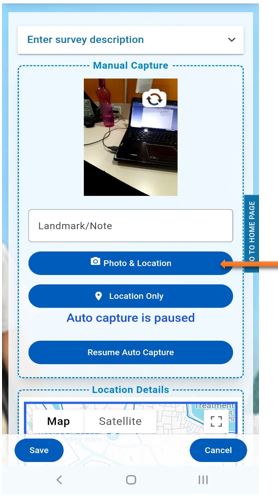
- For Capturing manual photo click on camera option.
Step 5
- Click on Photo & Location
Step 6
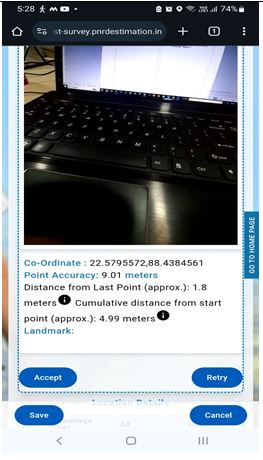
- Taking a photo, options to "Accept" or "Retry" are enabled.
- You can either confirm the photo by selecting "Accept" or retake it by choosing "Retry".
Step 7
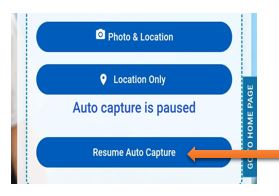
- After capturing a manual picture, press the 'Resume Auto Capture' button to continue Auto capturing.
- Otherwise, a popup will appear showing 'Auto capture is paused’.
Step 8
After completing the survey:
- Save the data to ensure all captured points and information are stored.
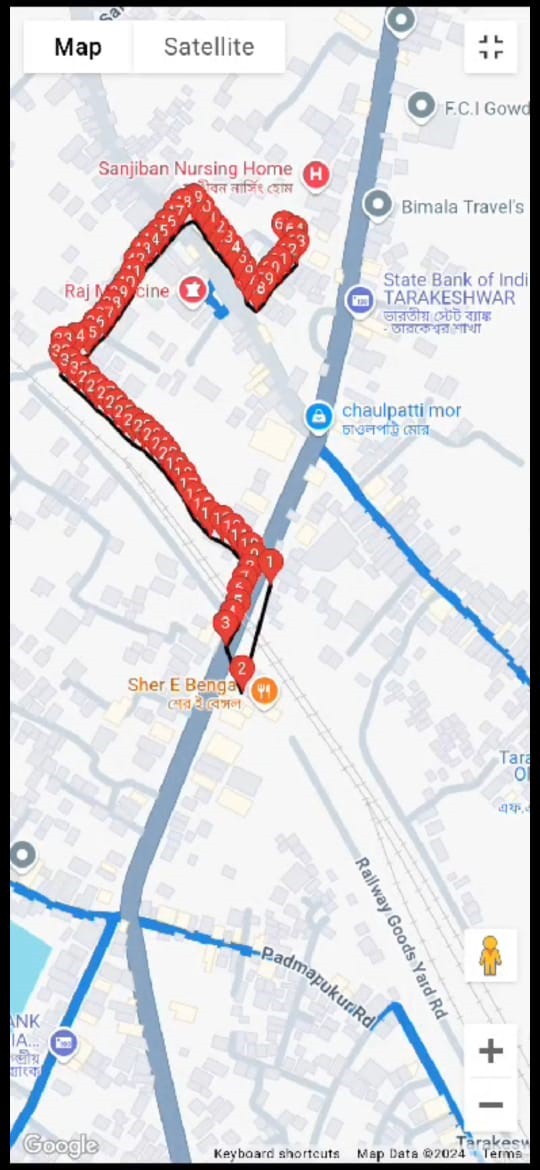
- Click on the "Map" and switch to Satellite view to get a detailed, real-world visual representation of the surveyed locations and surroundings.
- After pressing the "Save" button, the data is successfully stored in the portal.
- Click on the "Home" button to return to the front page.
- Select "View List" to display the list of all conducted surveys.
Step 9
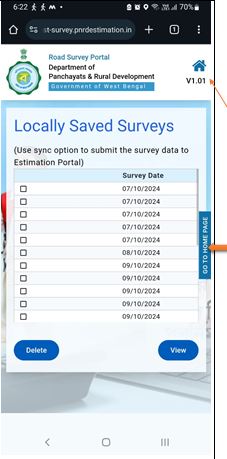
View List
- Click on the home picture or 'GO TO HOME PAGE' to view the list of unsynchronized surveys on your mobile device.
4. How to Sync
What is Sync (Synchronization)?
When a surveyor captures data in an area with weak or no network connectivity, the data is stored on the mobile device. When the mobile is connected to the internet, the synchronization process manually transfers this data to the live server.
Step 1
- Click on the "Home" button to return to the front page.
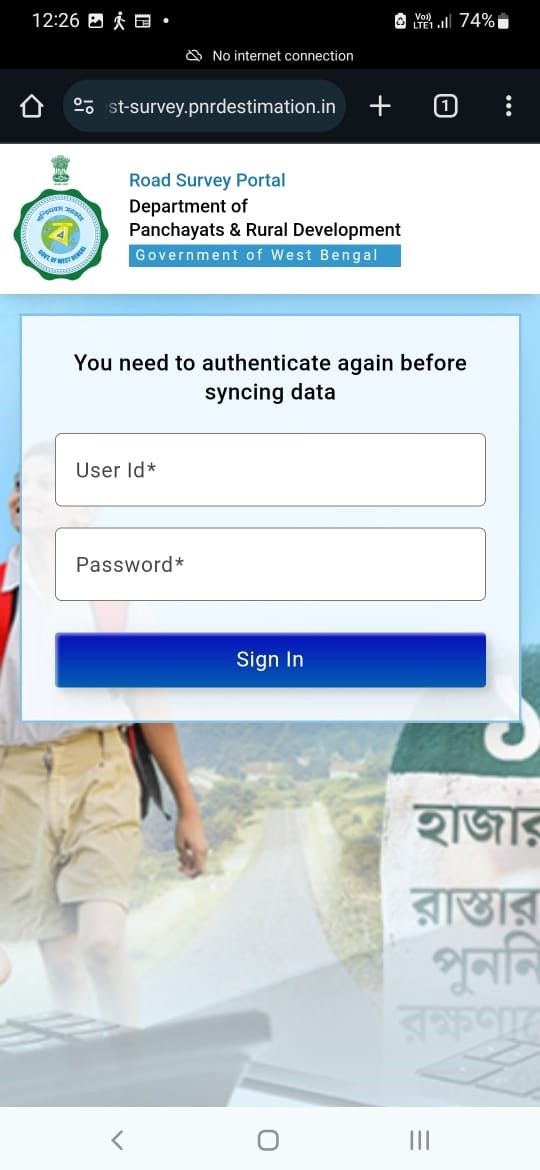
- Select "Sync Data" to navigate to the sync page.
- Enter your User ID and Password.
- Click "Sign In" to authenticate and initiate the data synchronization with the main portal.
- Once the data is synchronizing successfully, you will receive a confirmation message, ensuring that all your offline survey data is now available in the main portal.
- After synchronize, you can proceed to view or analyse your survey data directly from the main portal.
- If you encounter any issues during the sync process, please refer to the help section or contact support for assistance.
- Thank you for using the offline survey portal, and we appreciate your contributions to the project.